Tutorials written in the scripting language Python
All Python based tutorials can be found in <agxDir>/data/python/tutorials.
Most of the scripts can be started both with the native python and agxViewer.
To run these tutorials, AGX needs to be installed on the
computer. The .agxPy file suffix is associated to
the application agxViewer which will be executed for
the links below.
If you want to start one of the scripts manually in a command window, just write:
agxviewer tutorials\tutorial1_graphics.agxPy
agxViewer starts by default in paused mode. Remember to press 'e' to start simulation.
Press '1' to reload the scenes.
Tutorial: Granular bodies
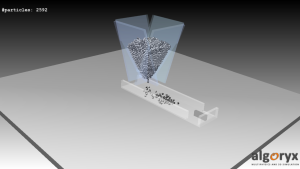
This tutorial demonstrates how to create granular bodies within a container, setup a conveyor belt which transports the granular bodies. At the end of the belt, there is a shovel that will move the granular bodies left/right
Start tutorial_granularBodies.agxPy in agxViewerView source code
Tutorial: Granular bodies and material
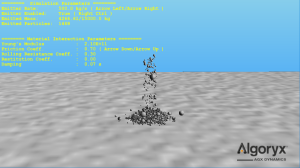
This tutorial demonstrates how to create and use GranularBodies, an efficient implementation of 6-DOF spheres. The granular contacts are simulated using a hertzian contact model with coulomb friction and rolling resistance.
Start tutorial_granularBodies2_material.agxPy in agxViewerView source code
Tutorial: Two-way interaction between Granular bodies and rigid bodies
This scene shows granular and RigidBody two-way interaction. A simple machine is driven by a granular flow. Some simulation parameters can be changed by the user during the simulation.
Start tutorial_granularBodies3_machine.agxPy in agxViewerView source code
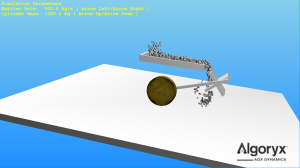
Tutorial: RigidBodyEmitter
This demonstrates how to use the agx.RigidBodyEmitter to spawn rigid bodies with any shape.
Start tutorial_RigidBodyEmitter.agxPy in agxViewerView source code
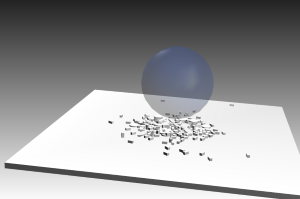
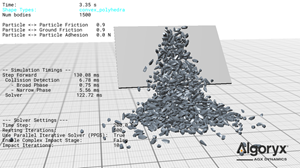
Tutorial: NDEM Body Shapes
This scene demonstrates different NDEM body shapes in AGX and visualizes how particle representation affects contact behavior and simulation performance.
- Constructs a simple test scene with a floor, an inclined impact surface, and a volumetric spawn region.
- Emits particles using either granular bodies or rigid body shapes such as polyhedra, spherical composites, trimesh torus bodies, and spheres.
- Defines particle - particle, particle - blade, and particle - ground contact materials (friction, restitution, rolling resistance, adhesion).
- Uses distribution tables to control emitted particle sizes and shape templates.
- Displays live diagnostics including body count, contact properties, solver settings, and simulation timing statistics.
View source code
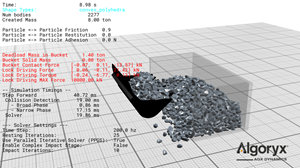
Tutorial: Bucket Excavation
This scene demonstrates a simple bucket excavation simulation in AGX and visualizes digging forces, contact interactions, and collected material.
- Loads a bucket model and drives it through a digging cycle using a kinematic proxy connected via a lock joint.
- Fills a container using emitted particles with different shape representations (granular, rigid bodies, composites).
- Defines particle - particle and particle - bucket contact materials (friction, rolling resistance, stiffness, damping).
- Measures the mass collected in the bucket using an attached measurement sensor.
- Computes bucket contact forces and extracts driving forces and torques from the constraint during excavation.
View source code
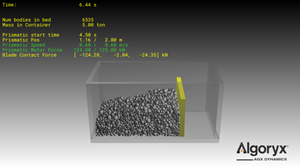
Tutorial: Granular Blade Pusher
This scene demonstrates a simple blade pushing simulation in AGX and visualizes blade motion, contact forces, and material flow in front of the blade.
- Builds a container with static floor and walls and places a driven blade inside the material bed.
- Drives the blade along a prescribed axis using a prismatic constraint with motor control and travel limits.
- Fills the container using emitted particles with different shape representations (granular bodies, convex polyhedra, or spherical composites).
- Defines particle - particle, particle - blade, and particle - wall contact materials (friction, rolling resistance, stiffness, damping).
- Displays live diagnostics for blade position, speed, motor force, contact force, and emitted mass.
View source code
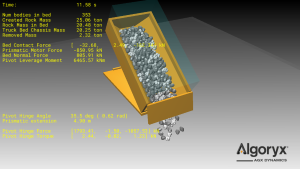
Tutorial: Dump Truck Unloading
This scene demonstrates a simple dump-truck unloading simulation in AGX and visualizes key forces and mass flow.
- Constructs a dump bed assembly with a hinged door and tipping mechanism (hinge + prismatic “hydraulic”).
- Emits rocks into the bed using either rigid bodies or granular particles with a distribution table.
- Defines rock - rock and rock - truck contact materials (friction, rolling resistance, stiffness).
- Measures payload mass inside the bed using a measurement sensor.
- Removes spilled material with a floor sink sensor and displays live force/mass diagnostics.
View source code
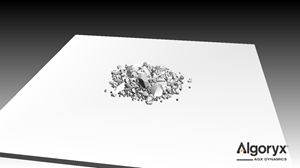
Tutorial: Granular Snapshots
This scene demonstrates how to store and restore granular simulation states in AGX using snapshot files for emitted particles and rigid bodies.
- Builds a simple scene with a floor and a volumetric spawn region used by both particle and rigid body emitters.
- Emits granular particles and mixed rigid body shapes using configured materials and contact properties.
- Stores a snapshot file containing granular particles, emitted rigid bodies, and the granular system state.
- Loads and restores the saved snapshot into a new simulation scene.
- Demonstrates how to persist, reproduce, and restart granular test cases from saved simulation states.
View source code
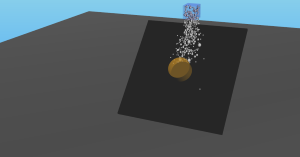
Tutorial: Using JSON files for data specification
This tutorial demonstrates how to create particle disitributions and set contact material parameters from extenal sources using Python's JSON library. By enabling the parallel Gauss Seidel solver the performance will scale well with the number of threads. You can change # threads with ALT+[number] Remember, using more threads than #hw cores will degrade performance.
Start tutorial_granularBodies4_json.agxPy in agxViewerView source code
Tutorial: Buffer access
This tutorial demonstrates how to access and manipulate the underlying data buffers for granular bodies and granular contact data via the BufferWrapper utility class that can create numpy arrays that maps directly to memory data in C++. We can then use this function to effecticley read/write particle and contact data without having to go through the high level Entity layer. This significantly increases performance when doing analysis on large amount of granular data in Python.
Start tutorial_granularBodies5_buffer_access.agxPy in agxViewerView source code
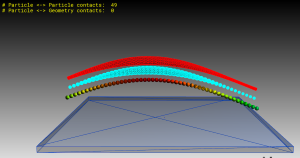
Tutorial: Granular contact data
This tutorial demonstrates how to access the contact data in the Python interface for granular bodies.
Start tutorial_granularBodies6_contacts.agxPy in agxViewerView source code
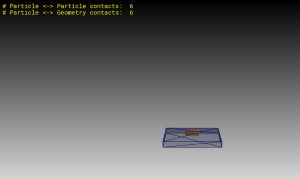
Tutorial: Granular field
This tutorial demonstrates how to create and visualize granular fields in python
Start tutorial_granularField.agxPy in agxViewerView source code
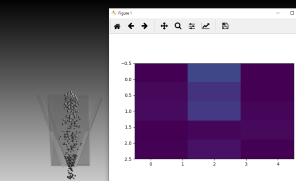
Tutorial: Granular GPU offloading
This tutorial demonstrates how to use GPU for granular contacts
Start tutorial_granularBodies7_gpu.agxPy in agxViewerView source code